
 Register
  Sign In

 Contact us

EuropeID Help Center
Domain search
Site search
WHOIS


Customer Support Information
Webmail account settings - Create an email signatur in SOGo webmail.
Create an email signatur in SOGo webmail.
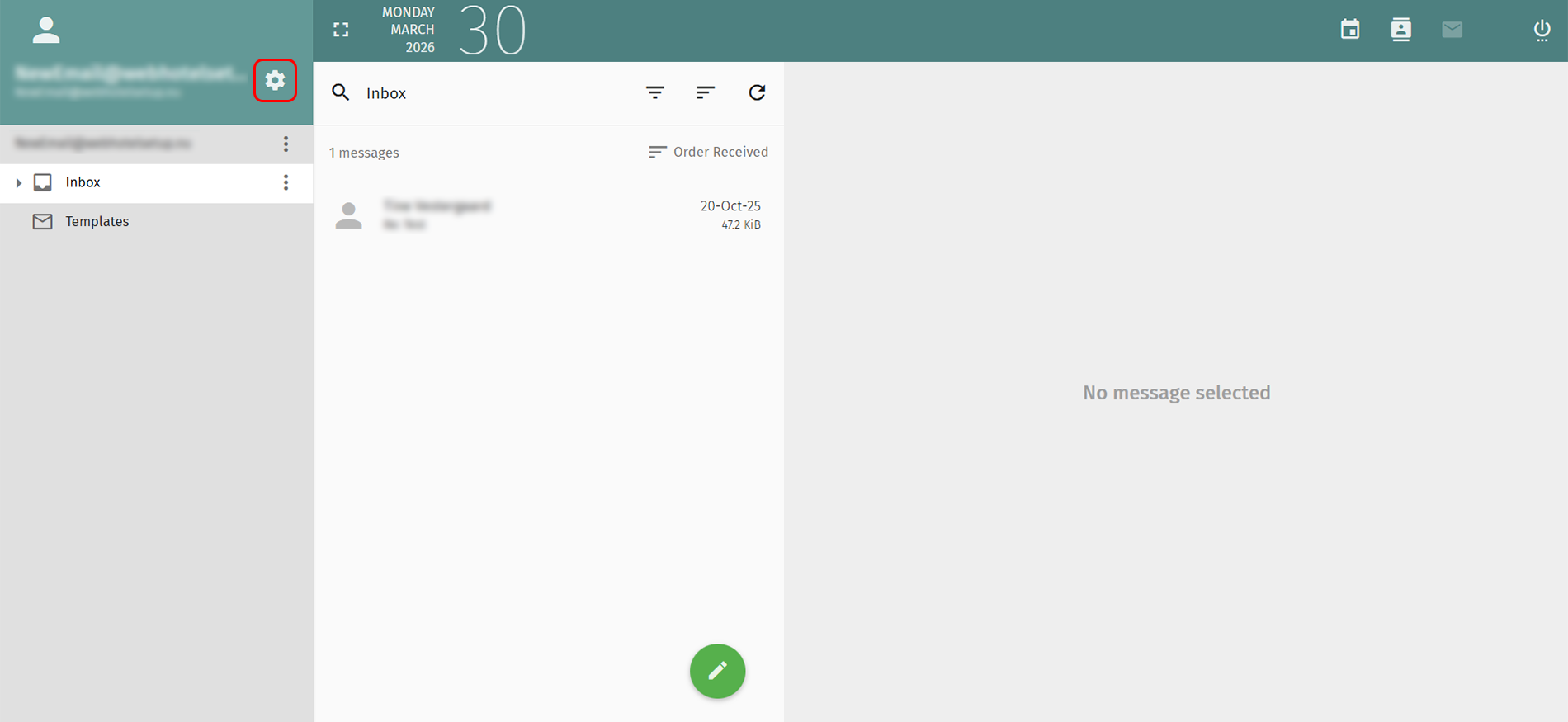
1. Click the gear icon to the right beside your email address on the top left.
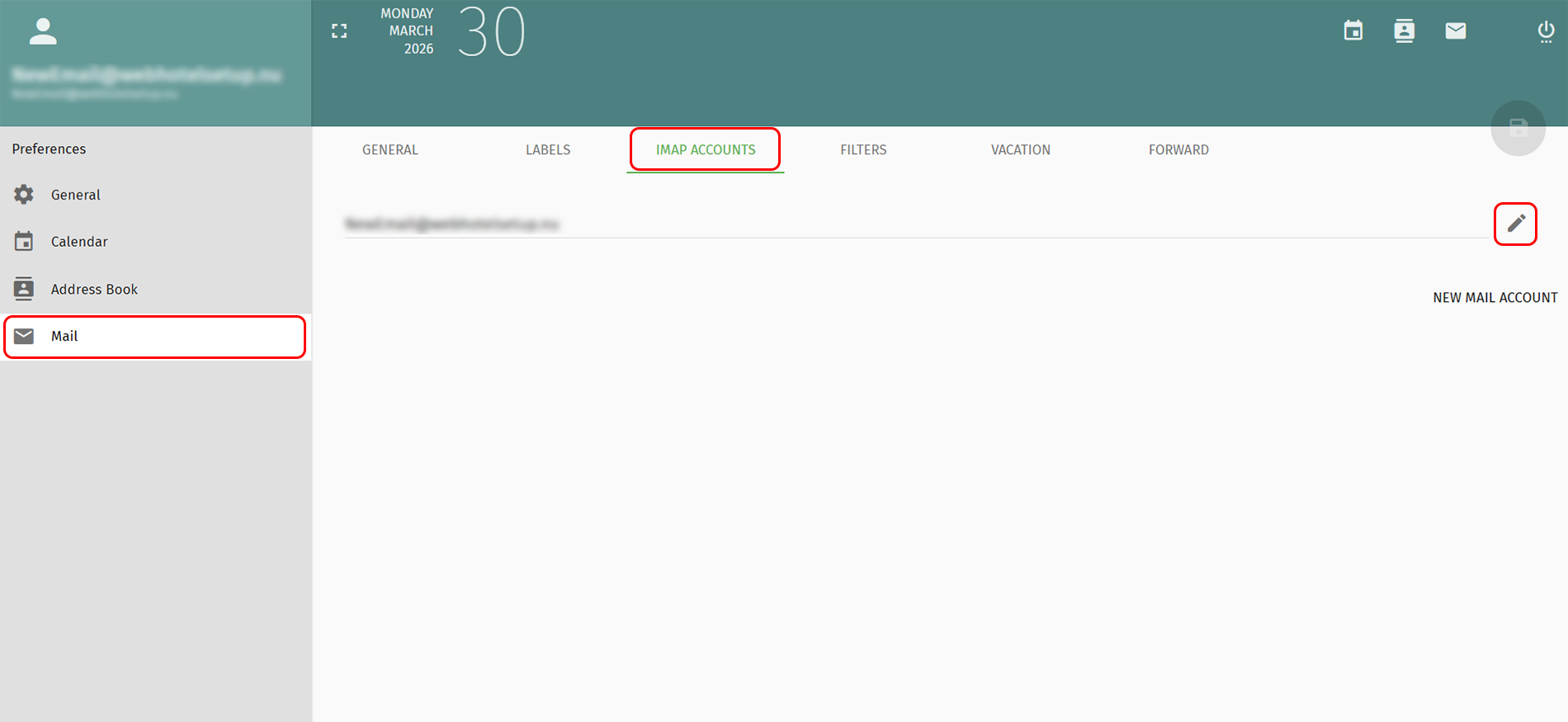
2. Select Mail in the menu to the left.
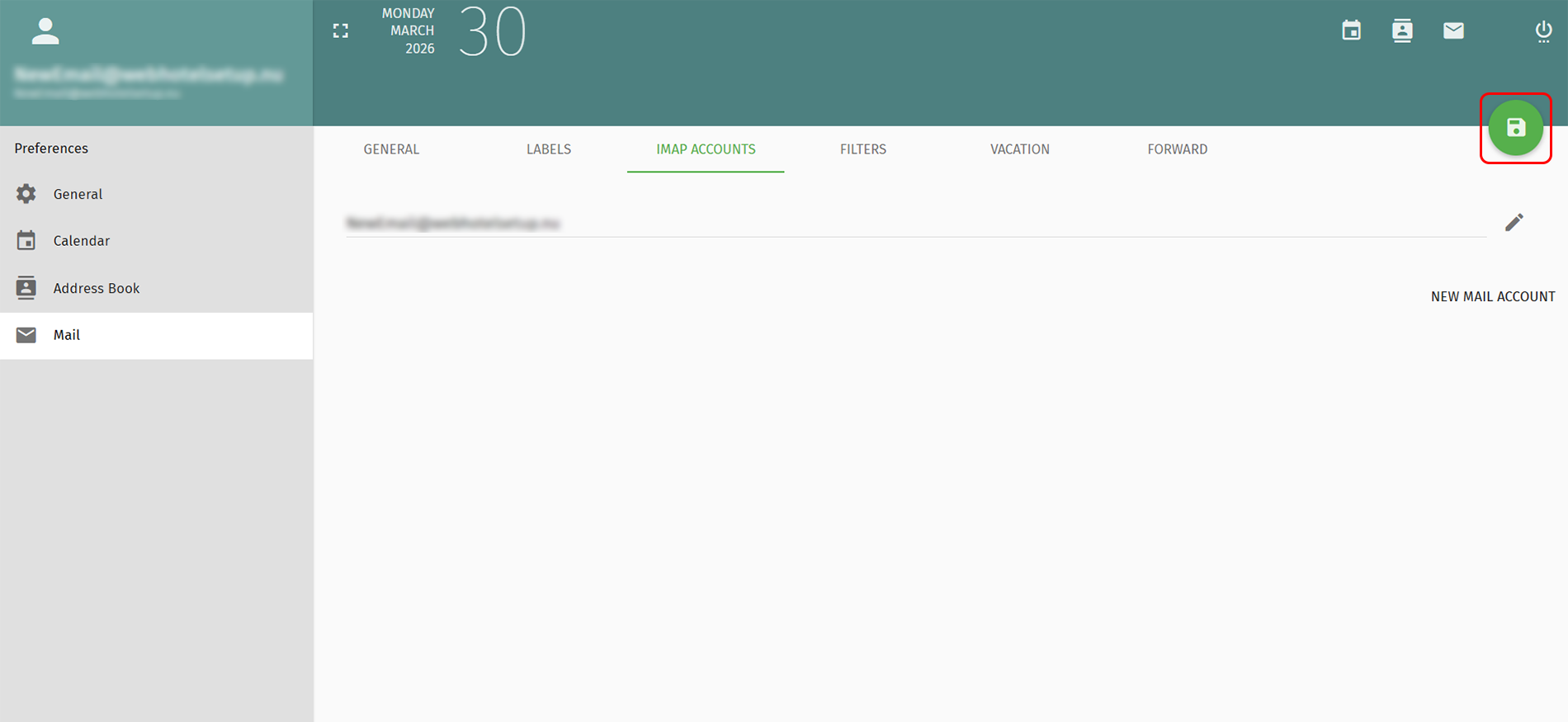
3. Select IMAP ACCOUNTS from the top menu
4. Click the pencil next to your e-maladdress.
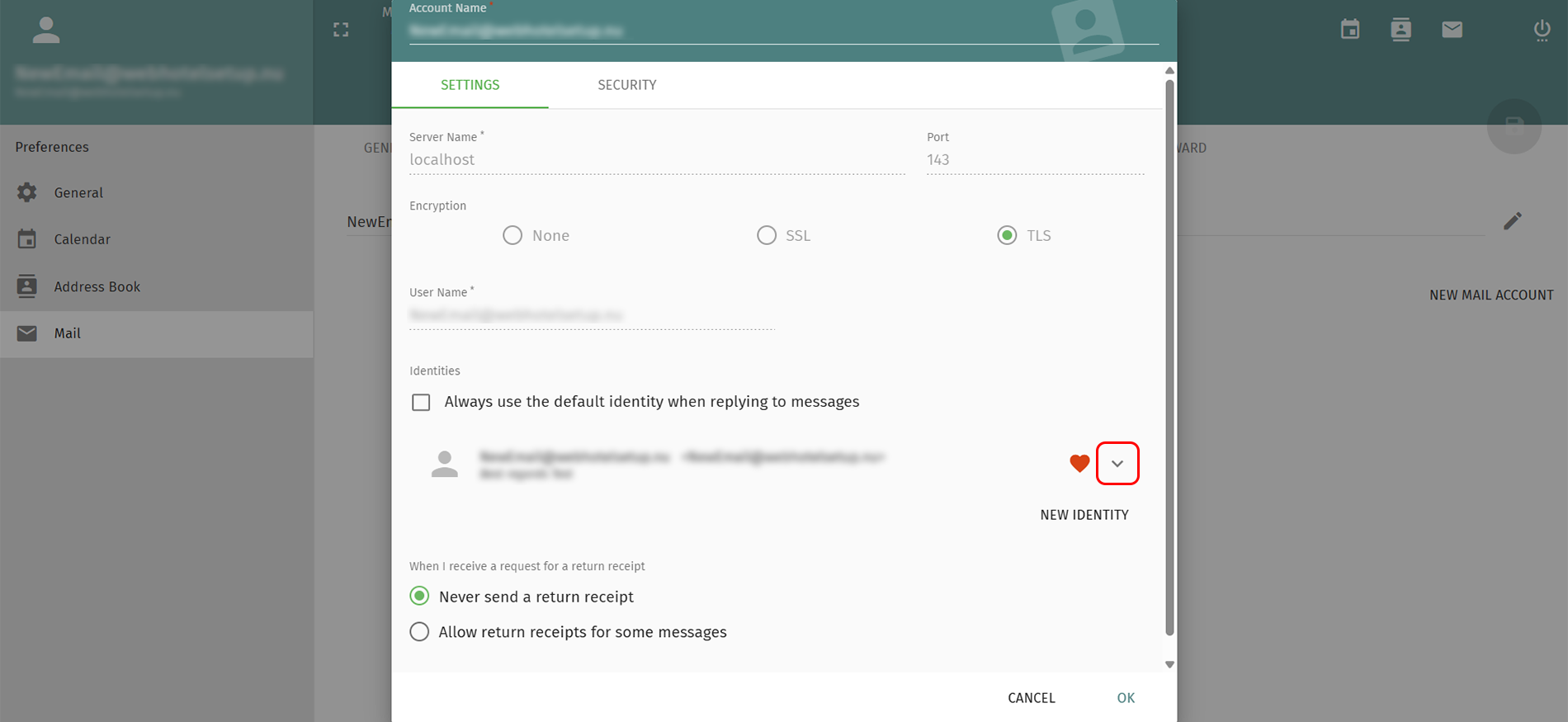
5. Click the arrow next to your e-mail address.
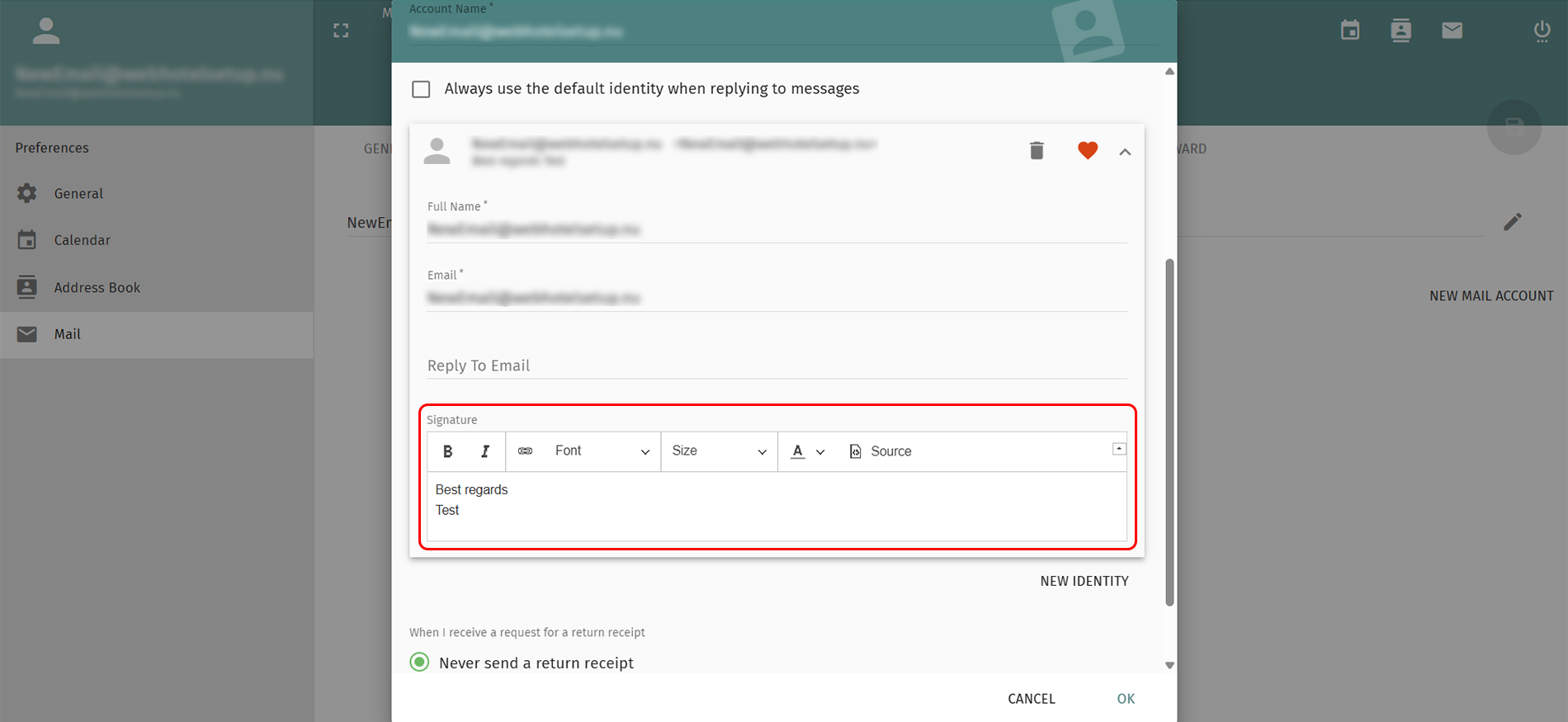
6. Create your signature and click OK.
7. Click the green floppy disk on the top right to save the changes.
Your e-mail signature are now created.


 See related questions...
- Vacation auto reply in SOGo webmail
- Create an email signatur in SOGo webmail.
- Set up 2FA in SOGo webmail.
- How to redirect emails from SOGo webmail?
- Create an email content filter in webmail.
- How to change 'send out messages limit'?
- How to change your password?
- Forgot your user password?
- How to add an alternative email address?
 Check what is on offer