
 Register
  Sign In

 Contact us

EuropeID Help Center
Domain search
Site search
WHOIS


Customer Support Information
Webmail account settings - Set up 2FA in SOGo webmail.
Set up 2FA in SOGo webmail.
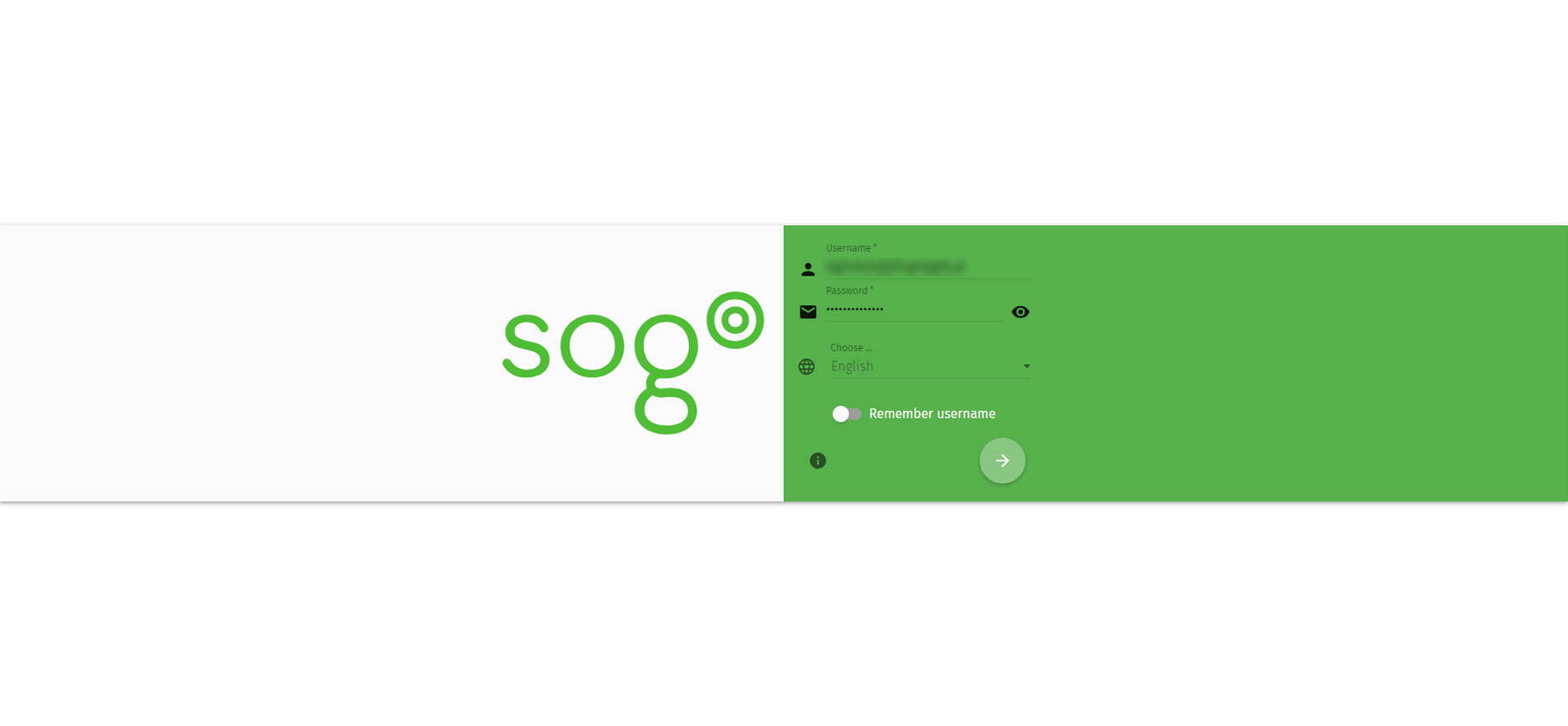
1. Log on SOGo webmail https://webmail.checksolutions.se/SOGo/so/
2. Username: Your e-mailadress.
3. Password: Password for your mail.
4. Click the round icon at the bottom.
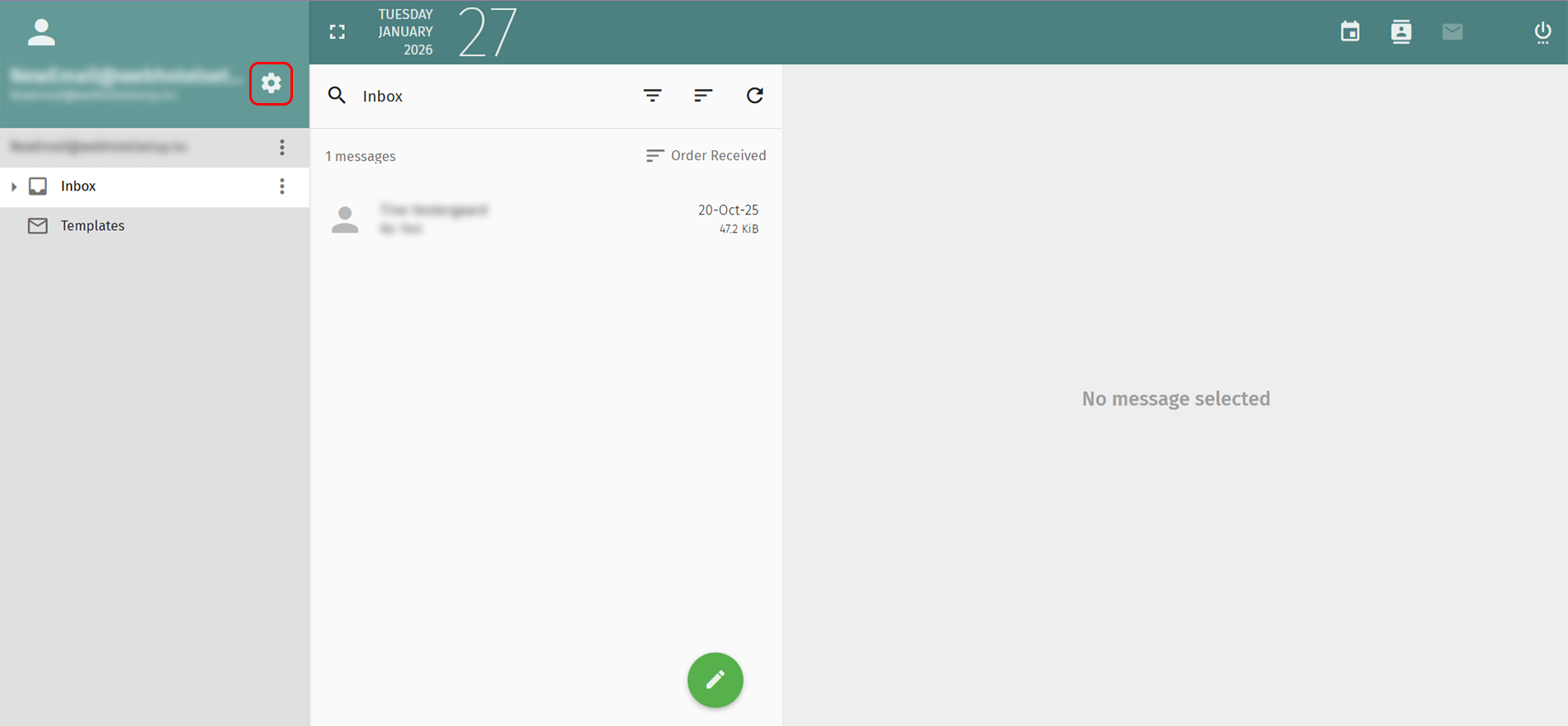
5. Click the gear icon in the top left.
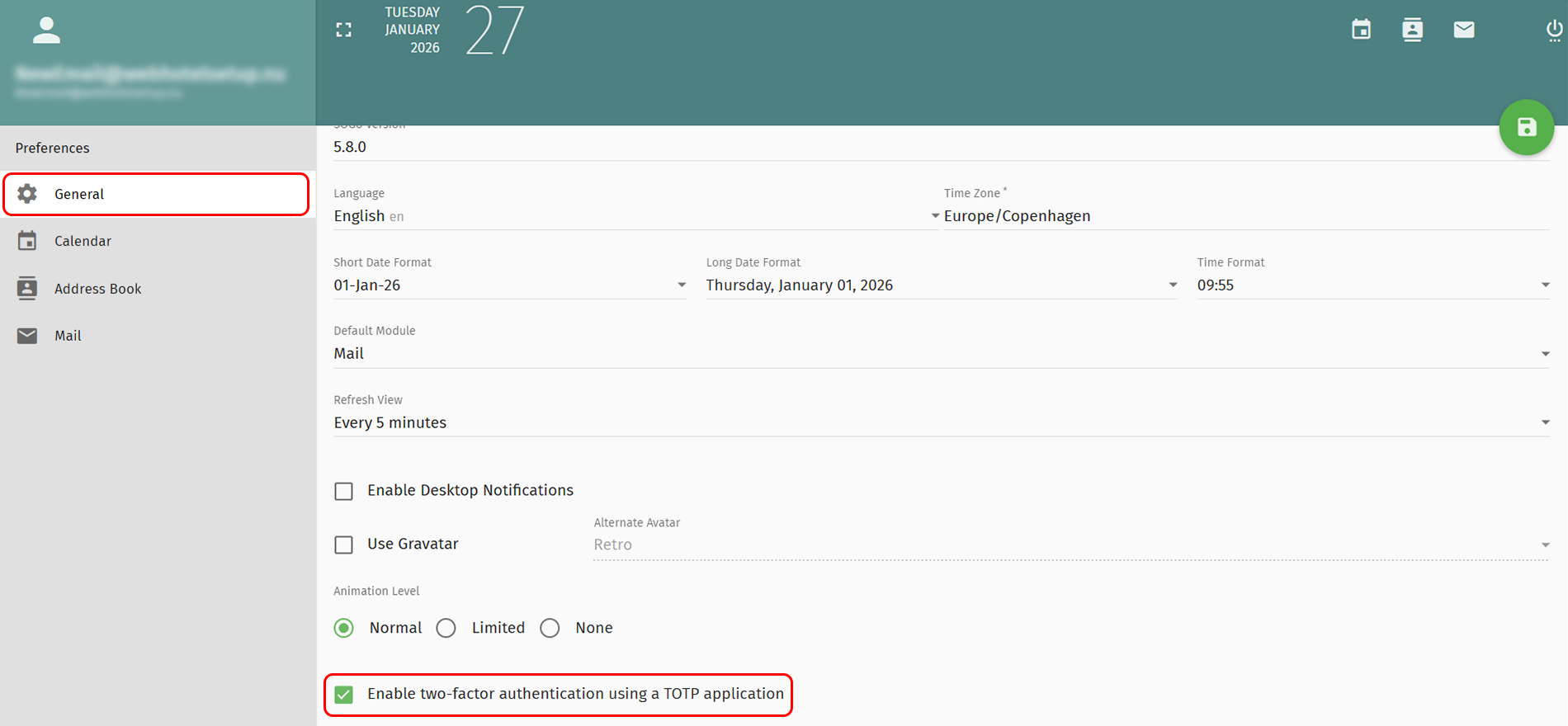
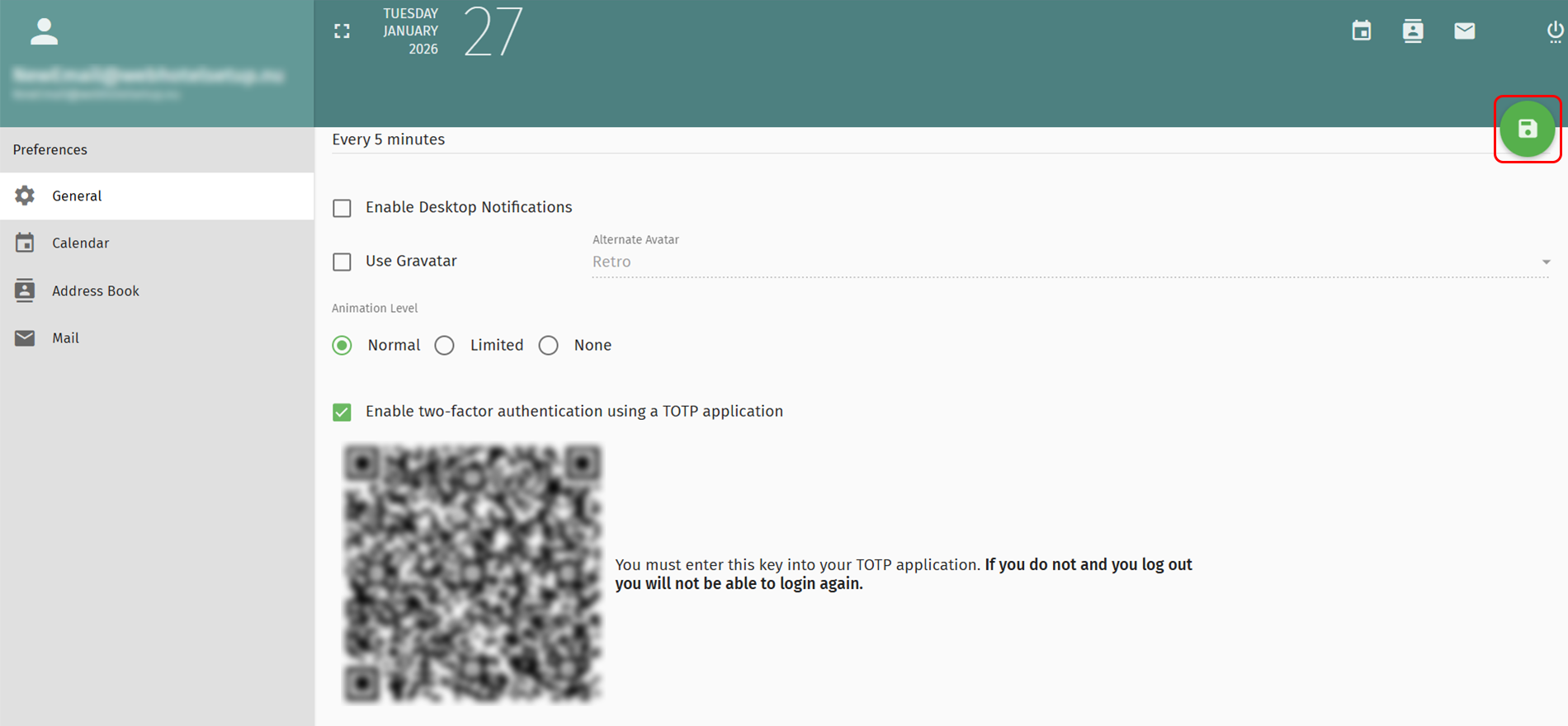
6. Select Generel in the left menu
7. Mark the checkbox Enable two-factor activation in the bottom.
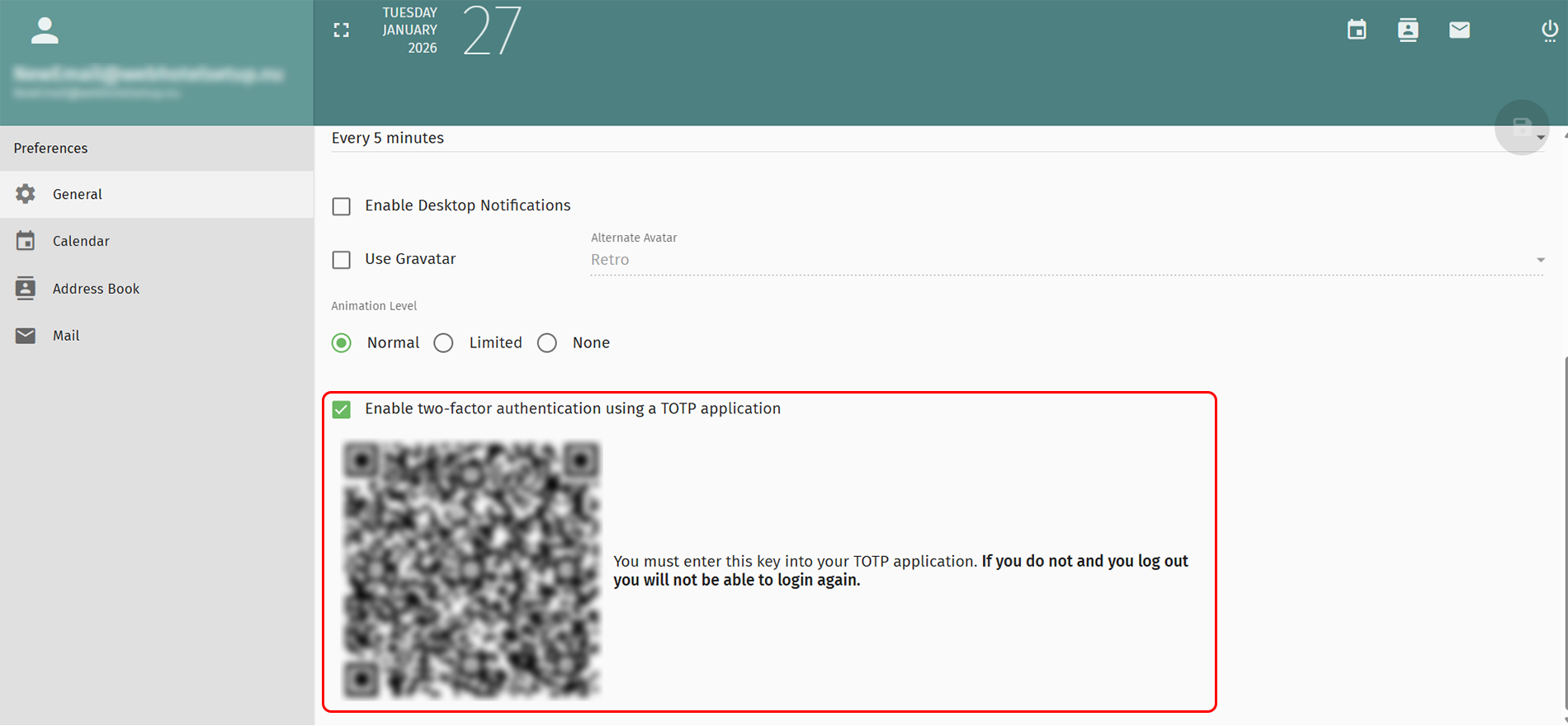
8. IMPORTANT!
Scan QR code in your TOTP- application.
If you forget this, you will not be able to enter your email again.
9. Click the green icon in the top right to save the changes.


 See related questions...
- Vacation auto reply in SOGo webmail
- Create an email signatur in SOGo webmail.
- Set up 2FA in SOGo webmail.
- How to redirect emails from SOGo webmail?
- Create an email content filter in webmail.
- How to change 'send out messages limit'?
- How to change your password?
- Forgot your user password?
- How to add an alternative email address?
 Check what is on offer