
 Register
 Sign In


 Contact us


EuropeID Help Center
Domain search
Site search
WHOIS


Customer Support Information
Webmail account settings - Guide for DKIM in Webmail.
Guide for DKIM in Webmail.
1. Sign-in to webmail as administrator – https://mail.web-solutions.eu
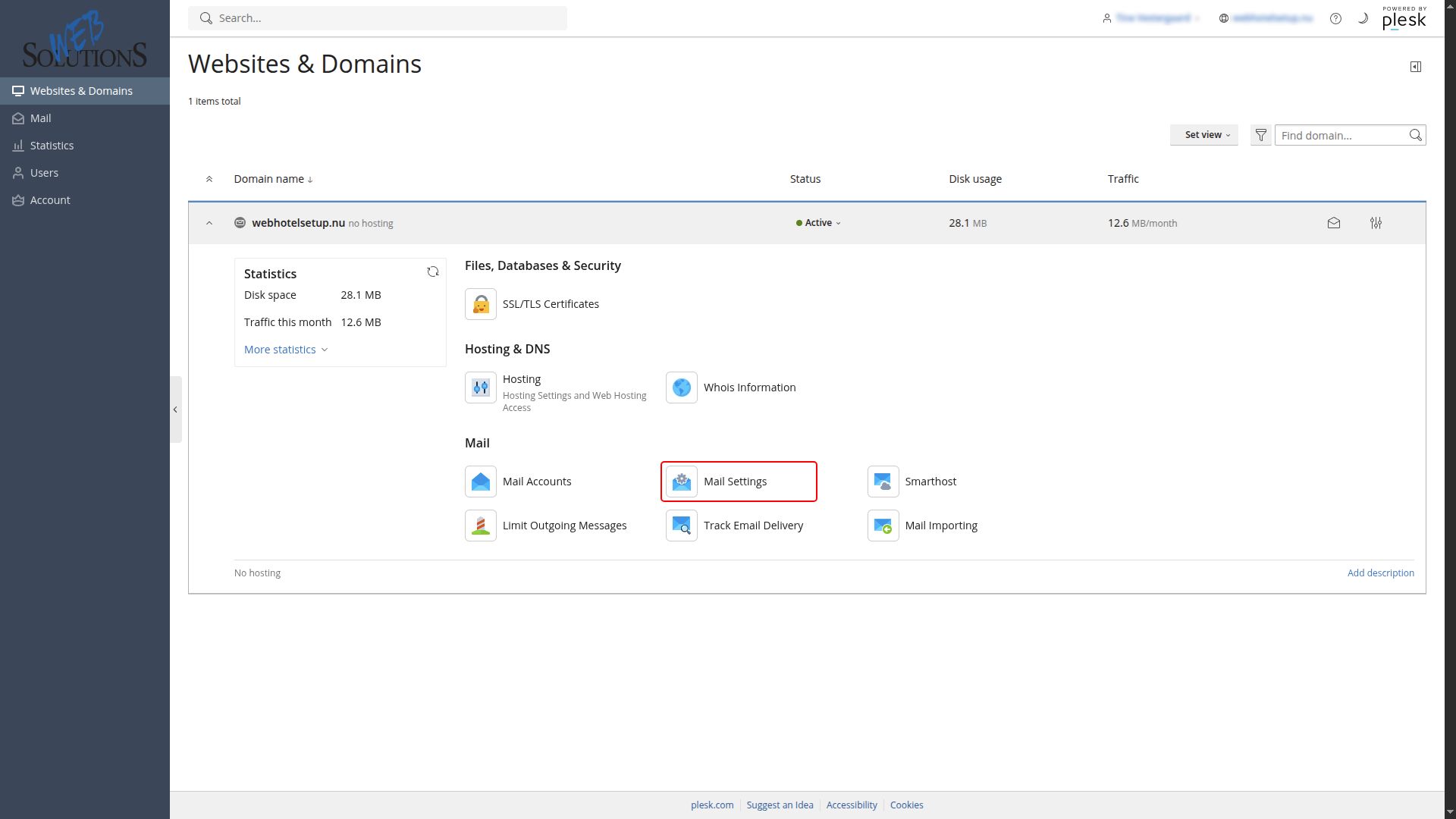
2. Go to Websites & Domains > your domain > the “Mail” tab > Mail Settings.
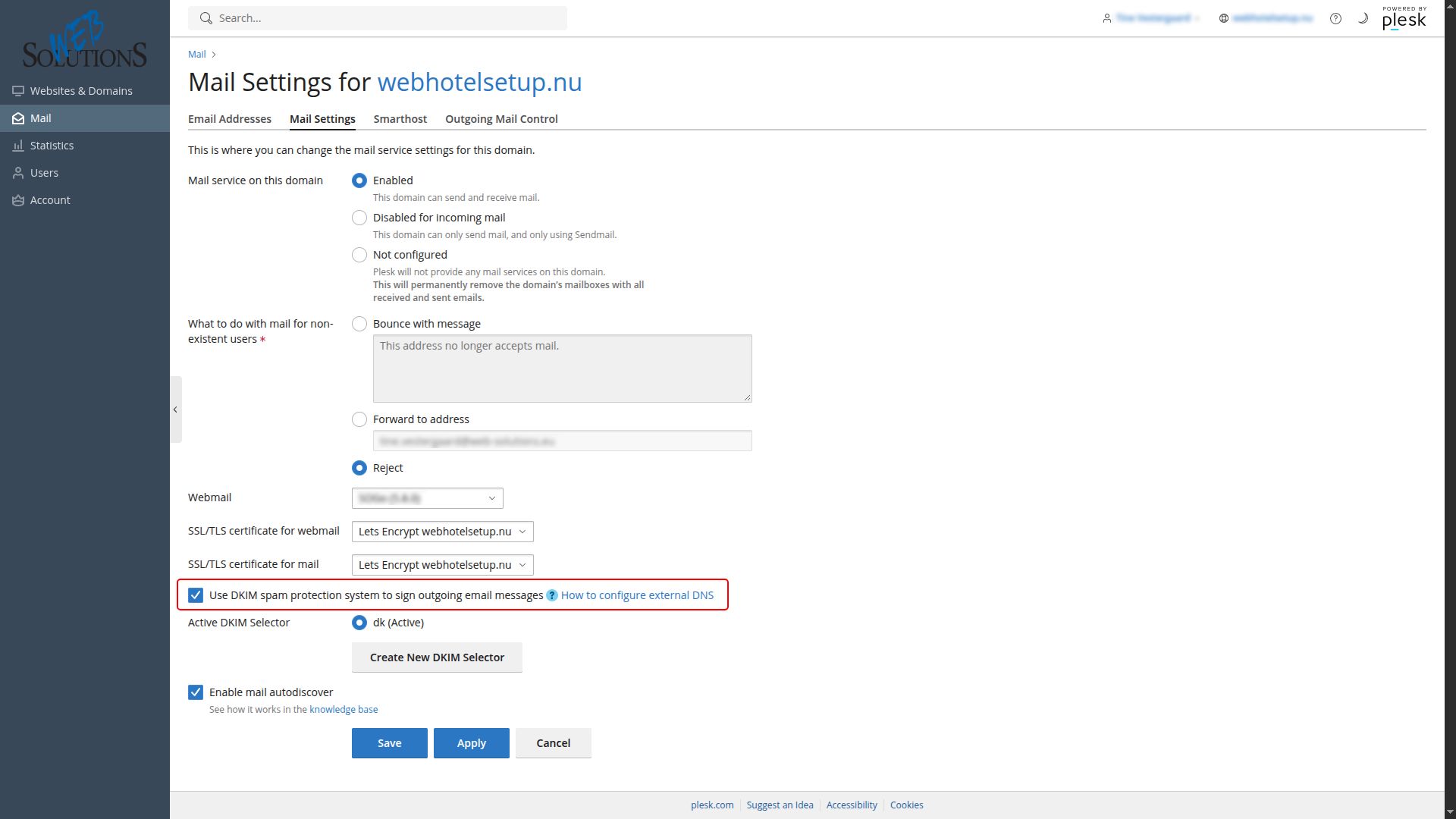
3. Select the “Use DKIM spam protection system to sign outgoing email messages” checkbox and then click Apply.
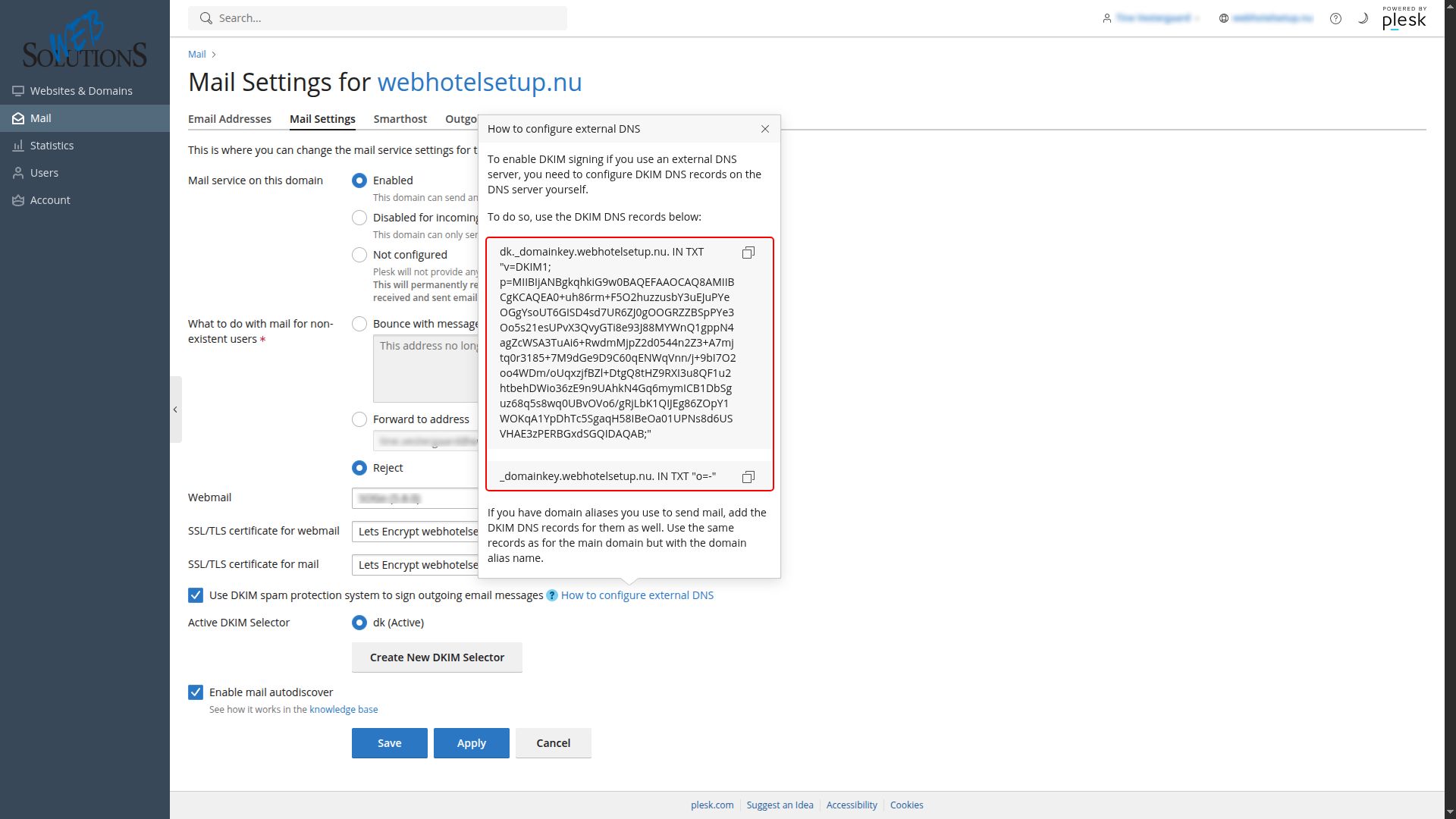
4. Click “How to configure external DNS” to open the hint. Copy two DNS records you see there and add them to the DNS server.
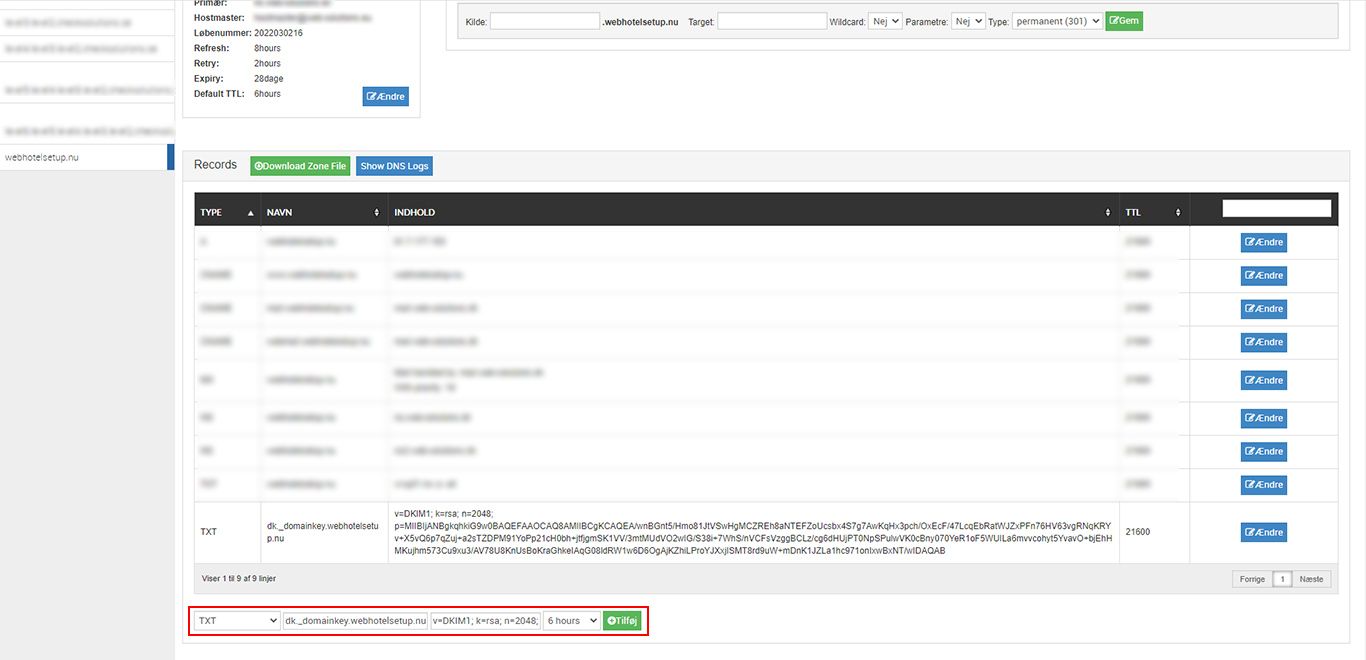
5. If your DNS is with us, then sign in to your domain account and go to Zone manager https://clients.web-solutions.eu
6. In the bottom line, choose TXT in type, paste your Hostname in the first text box and
paste the Selector record in the second text box. Click Add.


 See related questions...
- Guide for DKIM in Webmail.
- Vacation auto reply in SOGo webmail
- Create an email signatur in SOGo webmail.
- Set up 2FA in SOGo webmail.
- How to redirect emails from SOGo webmail?
- Create an email content filter in webmail.
- How to change 'send out messages limit'?
- How to change your password?
- Forgot your user password?
- How to add an alternative email address?
 Check what is on offer